


Hey friends,
My second Master Claude Code for Business Women Challenge starts Nov 16.
Doors close in 9 days!!!
What you’ll learn:
Claude Code & why it’s better than Claude Chat and Cowork
How to build, launch and update websites with AI
Build your social media content command center
Turn one idea into 5 different posts across different channels
Automate your prospecting & outreach
Build skills and agents, including a bookkeeping agent to bulk download receipts from your inbox and reconcile payments
And more!
What you’ll get:
22 video lessons (5-10min each) from me every weekday
Lifetime access to these videos
A WhatsApp Group with your Challenge Cohort for support, Q&A and encouragement
4 live calls with me, Tuesdays at 7pm GMT / 2pm EST / 11am PST
Access to the private Ladies Who Claude WhatsApp group with all previous LWC students after the Challenge
Use code READER10 for 10% off!
Xo,
Nina
P.S For my male readers - while my Ladies Who Claude workshops are only for women, if you want to learn ‘How To AI’ with me, upgrade to a paid subscription to join my weekly build calls.
#206: 💻 My $325/Mo Tech Stack
New tools are launching every week. It’s hard to stay on top of it and know when to switch.
I recently found some new tools that I love (WisprFlow and Granola), some that are even better than they were because they can connect to AI tools now (MailerLite), and some that I’ve been loyal to for ages that I can’t give up (Airtable and Notion).
Let me introduce you to my tech stack. Which I gladly spend $325/month on.
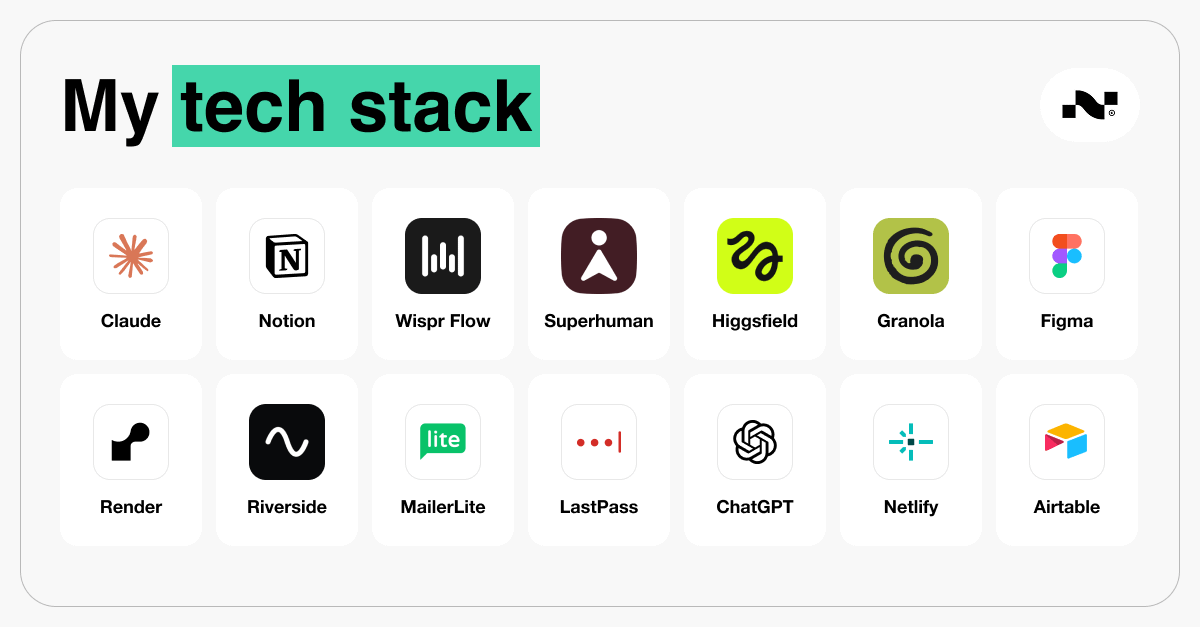
Here’s how the monthly cost breaks down.
Google Workspace (mail, calendar) - $16.80/month/user
Airtable - $24/month/seat
Riverside - $39/month
MailerLite - $19/month
Superhuman - $30/month
Claude Pro - $20/month
Higgsfield - $59/month
Granola - $14/month
Figma - $20/month
Netlify - $9/month
Render - $7/month
ChatGPT Plus - $20/month
LastPass - $36/year
Wispr Flow - $144/year ($12/month)
Instinct (free)
Notion (free)
These 16 tools run my life.
And when I look at them in this long list like that, the question is…is it worth it?
Remember when Australian real estate developer Tim Gurner made the infamous comment, on 60 Minutes in May 2017, arguing that millennials struggle to afford homes because they spend money on luxury items like $19 smashed avocado toast?
Instead of cutting out my avocado toast…maybe I need to cut back on my SaaS. (ahhaha never)
But honestly, I use every single one of these tools. They save me countless hours, make me more productive, and have led me to launch new products faster than I ever could have otherwise.
So no…it’s not the avocado toast equivalent.
Before you go and download all of these tools, you need to find the one AI tool that is your main squeeze.
That is step 1.
Step 1. Pick One Main AI
Claude is my #1.
But there are many to choose from: Claude, ChatGPT, Gemini, Perplexity, and Grok.
I keep Perplexity for research but I haven’t tried Grok…yet.
Most people are on the big 3: Claude, ChatGPT and Gemini.
So let’s talk about those.
Claude vs. ChatGPT vs. Gemini
What is best for what?
→ Claude: Best for professional work
Proposals, deck content, anything that has to sound professional and be polished.
Great for coding.
It’s been the market leader this year. The tools they launch, ChatGPT copies.
Everything I’ve built for Ladies Who Claude, I built with Claude Code.
Where Claude falls short:
Claude is terrible at image generation
It’s OK at design. But it could be so much better.
→ ChatGPT: best for images.
If I need a visual fast, I go here. GPT Image 2 is very good for image creation.
Codex, their coding tool, is also very good.
Some weeks it beats Claude but it never lasts long at the top.
Where it falls short:
The writing sounds like AI.
→ Gemini: Honestly? Not good.
The one exception is Nano Banana, Google’s image tool. I actually prefer it to GPT Image 2.
Where it falls short:
The answers are incorrect or of poor quality.
Every time I test it, I end up redoing the work in Claude.
The short version:
→ Writing & building: Claude & Claude Code
→ Images: Nano Banana, then ChatGPT
The new AI everyone’s talking about: Instinct
You’ve probably seen it all over X.
→ What it is: an invite-only personal AI agent that handles everyday tasks over text, voice notes or phone calls.
You can add Instinct to WhatsApp or iMessage.
Then, you text it like a person and it goes off and does what you asked for.
→ What people use it for: Early testers say it books restaurant reservations, reminds them of appointments buried in their inbox, and has even sorted out warranty claims with customer support on its own.
It also has its own email address, so it can sign up for services and contact businesses without filling up your personal inbox.
→ Why I’m careful: Remember what I said about connectors giving AI read, write and delete access? Instinct is exactly that, turned all the way up to 100.
One tester said it cancelled his flight too early and he paid $300 in fees. Another lost $200 when it booked a Tokyo restaurant he’d only asked it to look into.
→ My take: I’ve had Instinct for about 40 days. I like it. I use it differently than I use Claude, and I like that it can perform tasks without my computer needing to be on. I use it multiple times per week. I forget about it sometimes, so it hasn’t made it into my daily use.
I’ve mostly used it to get scattered ideas out of my head into something I can act on.
I’ve had Instinct read emails and draft replies, set up calendar invites, searching for flights (but not booking the flights), and for quick practical jobs like finding a receipt in my email for a return I needed to make.
Just now I asked Instinct to check my emails for confirmations for an upcoming event I am hosting, update a shared guestlist and then send me a text message with who is confirmed so I can text it to someone else.
It’s like having a personal assistant in my text messages.
And the best part is that I can voicenote to it. So I can brain dump what I need done and send Instinct off to do it.
Want to try it?
Instinct is available by invite only right now. Each user gets 10 invites and I have a few left.
Want one of my invites? Tell me in the comments.
Pick your main AI
You don’t need all three. Pick one, pay for one, add others only when it fails you.
…or you run out of tokens.
I use Claude as my #1, and I use Instinct.
I have ChatGPT Plus as a backup when I run out of Claude tokens.
Now that you have your #1 AI tool chosen, move on to step 2.
Every Tuesday I get on a live call for an hour and show paid subscribers what I'm building with AI. Upgrade here.
Step 2. Add Specialists For the Jobs Your AI Can’t Do.
The main AI tools have limitations and many other tools are being supercharged with AI behind the scenes.
Granola
→ The job: Meeting notetaker
→ Why it wins: Transcribes meetings with a built in AI chat at the bottom (chose your model!) so you can live chat with the meeting, while the meeting is happening (THIS is the best feature ever)
→ What it replaced: Otter, Fireflies, Gemini notetaker
WisprFlow
→ The job: I talk instead of type.
→ Why it wins: It corrects my grammar, formats the text, and is so so so much more accurate than the speech-to-text built into Claude and ChatGPT.
→ What it replaced: Typing…seriously.
Superhuman
→ The job: Email, but fast.
→ Why it wins: It got me to be an inbox zero person. I’ve hit inbox zero 197 weeks in a row.
→ What it replaced: Apple Mail, reading Gmail in the browser.
Higgsfield
→ The job: Images and video for my content.
→ Why it wins: All the top image and video models in one place, Nano Banana included. Because it connects to Claude, I can go from idea to finished Reel without leaving the chat.
→ What it replaced: Working across several different video editing tools. And creating AI content with ChatGPT
Figma
→ The job: Design. Carousels, thumbnails, slides, anything with my brand on it.
→ Why it wins: Claude + Figma just works. I get on-brand designs from simple prompts, every time.
→ What it replaced: Canva (more on that below).
Not sure what to try and what your favorite AI tool can already do?
Paste this into your AI:
Here are all the AI and software tools I pay for, with prices: [list]. Tell me which ones overlap, which ones you can already do for me, and which I could cancel.This newsletter grows because people like you share it.
Step 3. Connect Your Tools
Where you really see the power of AI tools is in connecting your tools to your main AI.
You can do this easily by going to Claude > Customize > Connectors, or ChatGPT > Plugins.
There are many tools listed in the desktop apps of Claude or ChatGPT that you can connect to.
Pick the tools you use everyday and every week, and connect them.
What is a connector?
On its own, Claude can only see what you type or upload into the chat.
A connector links Claude to another app you use, like Gmail, Google Calendar, Notion or Spotify, so it can look things up or do things for you.
This is where you get the AI tools to do actual work for you. And only a small fraction of AI users are using AI this way. This is the real gamechanger.
For example, when you connect Claude to your calendar, you could ask “When am I free on Friday?” and Claude would check your actual calendar instead of guessing.
Now, not only do you know when you are free on Friday, you can also have Claude block the time in your calendar and send an invite to someone else. Just like your own personal assistant.
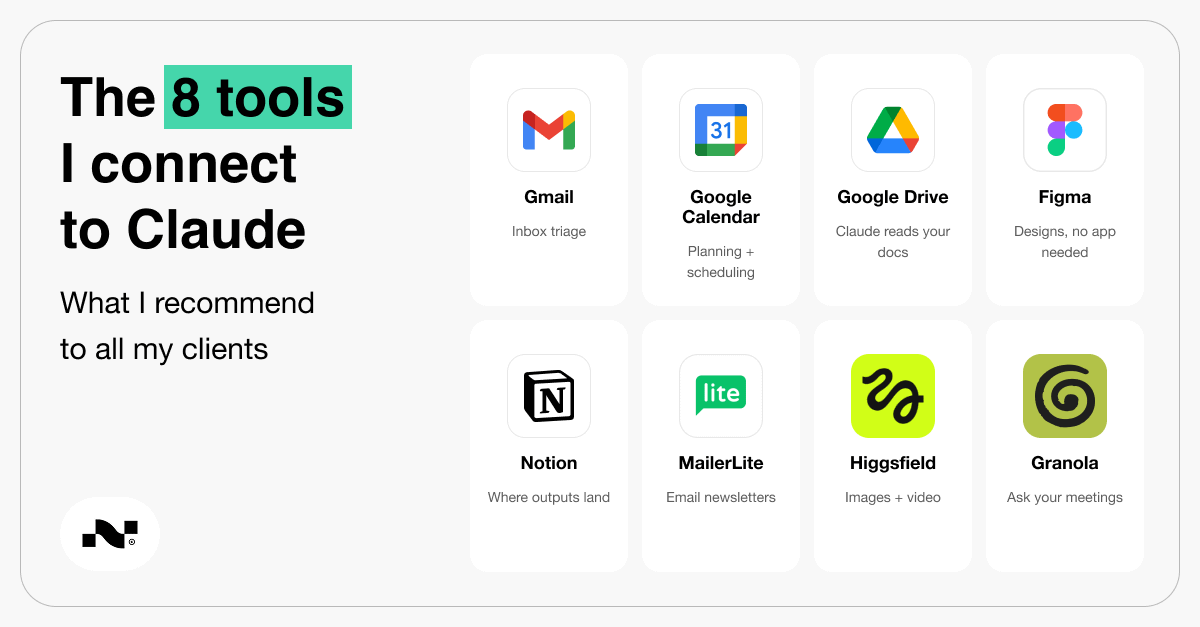
My favorite connectors are:
Gmail
Google Calendar
Google Drive
Figma
Notion
Higgsfield
Granola
MailerLite
Safety Tip
Adding a connector means granting read/write (and delete) permission to Claude/ChatGPT in the different softwares that you use.
Start by having Claude ask you permission before it changes or deletes anything.
Not sure what tools you should connect to Claude/ChatGPT?
Paste this:
I want to use you for [task]. Which of my apps should I connect to so that you can do it? Walk me through connecting the first one.→ Based on the task, Claude/ChatGPT will suggest recommended software or connectors
→ It will give you the step by step instructions to connect (spoiler alert: it’s really easy!)
→ It will ask permission before it uses the connectors for the first time.
I have shiny-tool syndrome. New tools are dopamine.
I want to try them all, and some stick and some don’t.
So here’s what I signed up for, used and cancelled.
Canva
I was using Canva for about 6 years, from 2019 to this year. I just recently cancelled my Canva Pro account.
It’s an incredible tool, and it allowed me to build confidence in graphic design.
But over the last 4 years, I’ve been using Figma more and more, and I feel I create much more elevated designs inside Figma.
My main complaint is that I couldn’t get good results from Claude + Canva on my first prompts.
On the other hand, I can get incredible designs with Claude + Figma. Also, they are more reliable.
Sometimes when I ask Claude to make a design in Canva, I get 4 completely different designs that do not follow my brand guidelines.
With Claude + Figma…it just works. Reliable, good designs with simple prompts.
MailChimp
Too expensive and too clunky. When you’re just starting to build your audience, you end up paying a lot more per month very quickly compared to the competitors.
I quit MailChimp because of the cost this year.
I switched to MailerLite for all of my communities. It’s more affordable and works really well with the Claude connector.
Every Tuesday I get on a live call for an hour and show paid subscribers what I'm building with AI. Upgrade here.
Step 4. How To Start.
Let’s get you flowing with new AI tools and cut the ones you aren’t using.
→ Pick one main AI.
→ Run the audit prompt.
→ Connect one app.
→ Ask your AI if you should cancel one tool you currently pay for that your main AI might be able to do for you.
How are you using AI right now?
You might already pay Claude or ChatGPT $20 a month.
But you are probably only using a small part of it if you’ve never flipped that toggle over to Claude Code.
It’s likely you didn’t know Claude Code was there, or how to use it because nobody sat down and showed you how.
Also…possibly because it’s called “Code” which makes you think you need a software engineering degree to use it.
Wrong.
Everyone, and I mean everyone, can use Claude Code.
I’m here to help you do that. Upgrade to paid to get AI tips every week PLUS:
Build Session, live every Tuesday at 6PM GMT (1pm EST/10am PST). Over a 45min session, I share my screen and show you what I built that week, how I did it, and what broke. You bring your questions and I help you answer them. It's also recorded in case you miss it.
Paid Members Community. Share what you’re building, get help getting unstuck by people a few steps ahead of you, and see what everyone else is making.
The full write-up of every build. Steps, settings, and what I’d change, so you can copy it. Includes AI and health builds, made by someone with a pharmacology PhD.
All of it is in the paid subscription: $200 a year, or $20 a month. Less than $1 a day.
Upgrade today and save your seat for November 10th's Build Session:
The link to this week's Build Session is below, for paid subscribers...