


Hey friends,
This last weekend, I drove 40 minutes south of Lisbon to spend the weekend at Casa Colab in Meco.
Roya, the founder and visionary behind Casa Colab, invited me to join the last days of a one week Artist’s Residency she was hosting.
After four Ubers canceled on me, not wanting to go on such a long ride, I finally threw too many bags in the trunk and settled into the ride.
The idea was to explore how I can build a workshop specifically for artists to solve their biggest pain points with AI.
It’s best to get the ideas straight from the people who live them, rather than making assumptions.
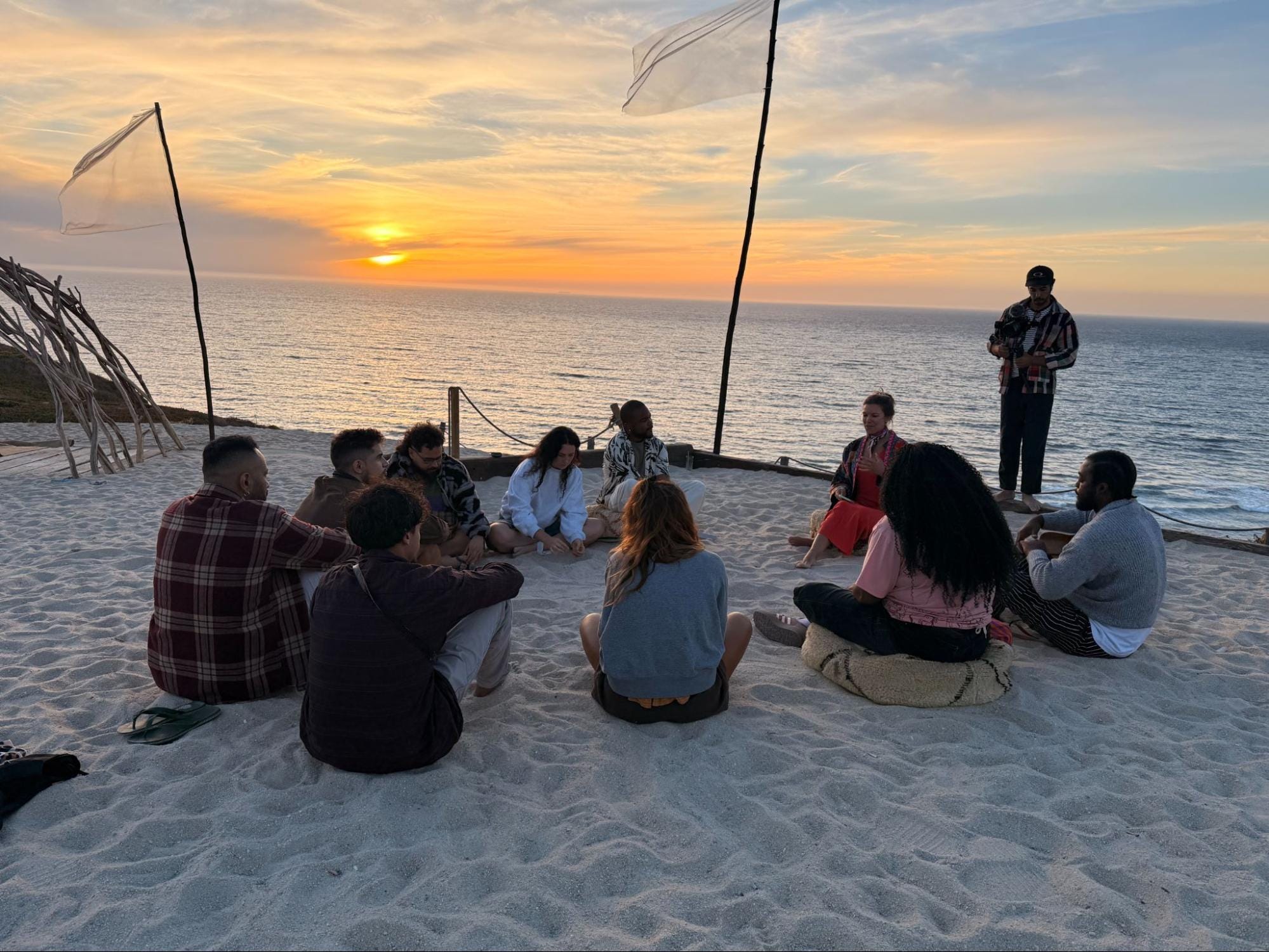
We sat down in a circle at sunset. A mix of men and women from around the world - Angola, Brazil,UK, USA, Spain and Portugal.
And we went one by one around the circle to talk about life as a musician and all the behind the scenes admin that they face to build their careers.
Most of them are a solo operation, which means no one to delegate admin, booking or social tasks to.
Some have band members, which rely on them as the main artist to book gigs, and this adds additional financial pressure.
To my surprise, not everyone was as anti-AI as I thought.
While many do not use AI to create art or music, they are using it for pricing, creating proposal templates, tour planning, and to maintain a google sheet functioning as their CRM for logging contacts, conversation status and follow-up dates.
They also have used AI for inspiration for scripts for content and video ideas.
Some have tried to use AI and have been unhappy with the result. For example, one artist fed AI his bio, artist profile, albums, art and more, and said that AI compressed the information too much, resulting in a media kit that didn’t show his rich portfolio.
After we left the beach, we gathered around the dinner table to continue the discussion.
Plates of food passed around, wine bottles uncorked, and we debated AI music quality and how they are using AI in making music.
One artist was using AI for music production, but not the creative part, but for separating and generating tracks. Even to create a prototype of a track to then record with live instruments later.
We spent a lot of time talking about Suno, a software that can generate full songs from prompts.
Someone mentioned that they’ve used Suno to sing a melody and then they requested a different instrument arrangement. Something that is truly unimaginable just a year or two ago.
This feature, some of the musicians agreed, is useful to professionals who know exactly what they want and to skip the technical steps.
Several musicians also agreed that they have heard AI arrangements that they have found genuinely impressive when made by skilled musicians.
Although, this then led to the topic of “getting tricked by AI’ that when they listen to a track, find it good, only to find out later it was created by AI, they when judge the track differently, or don’t like it as much.
This happens not just in music, but also in art. One Artist brought up an example of how they were tricked by AI generated “paintings” posted to art accounts.
AI content labels were agreed to be absolutely essential and should be required, and many were concerned that social media is lowering critical thinking because clickbait and AI content is rewarded. Audiences aren’t trained to second-guess.
I do hope that to balance out the AI-content, there will be a rising preference for content with visible human imperfection.
As we finished dinner, the musicians picked up their instruments and microphones and jammed for several hours into the night.
All of that human energy, emotion and the “DNA” in a performance are irreplaceable by AI.
My idea of meeting with them was to see how AI as a tool to help creatives free up more time to be creative. How we can use AI to amplify them, not to replace their talents.
The next day over breakfast, I was reflecting on the conversation and thought about their biggest bottlenecks.
#1 bottleneck: outreach.
Many of the artists have niche projects. This means they spend a lot of time finding the right venues and booking agents where their music will resonate.
Then, once they find the right ones, they struggle to manage the emails and follow-ups, daily correspondence and content delivery leading up to the gig.
It feels like a management overload.
#2 bottleneck: content backlog.
Once they get the gig, they usually get hours of video content and photos from the performance, which is great.
But it ends up in their photos album that sit unedited and unposted, creating a big content backlog.
They all have social media and platforms where they know posting the content will help build their digital portfolios, but they lack the time.
So they end up with multiple shows worth of videos and photos…and then life goes on, and new shows keep arriving before old content reaches the internet audience.
I have the same problems as an entrepreneur and teacher
I came home from the Artist’s Residency and looked at my camera roll from the weekend.
And there in my photos album was the same thing the artists were telling me…I had the same content backlog, days of videos of the artists jamming, us sharing stories, and it was just sitting there.
Then I kept scrolling, I have even more content, from AI classes I’m teaching, talks, moments with the communities I’ve built that are well worth sharing.
This is the human content that people are hungry for, so just like the musicians, my content is stuck.
And I thought…here is one real way that AI can take admin off of their plates.
So…I asked, how can Claude help manage this?
Turn One Event’s Photos Into A Content Plan
I keep all my photos in Google Photos, so the first step is to just download the photos and videos to my desktop so I can point Claude at it.
Step 1: Pick one event, download all the photos to a folder on your desktop.
Step 2: Drag the photos into claude chat and paste this prompt
Go through these photos and videos pick out the best 5, say why each one works, and write a caption for each
Step 3: You have 5 posts ready to go - to copy, paste and schedule on your socials.
This is an easy fix…but it’s too manual, you’re dropping the photos directly into Claude Chat, and that is just for one event. But if you’re like me, there are 8 more events in the backlog.
And that means you need to use Claude Code.
Here’s how you hand Claude the whole pile at once, and get a reel from what’s on your camera roll with Claude Code in 5 steps. And the protocol so you can do it again and again.
That’s how I made this in 30 minutes without opening an editing app, and while doing my other work on the side.
Step-by-Step Guide: Make a reel from your camera roll with Claude
Before you start you’ll need Claude Code on your computer either in the Claude Desktop App or installed in the terminal.
Put all the videos from one event into a single folder on your desktop (I called mine “artist retreat”).
Open Claude Code in that folder.
The first time, Claude will ask to install 2 free tools: ffmpeg, which edits video, and Whisper, which turns speech into text. Say yes to both.